
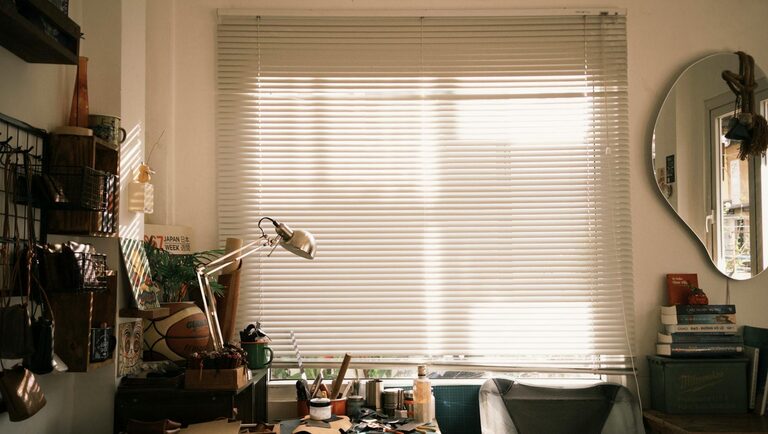
Creating a relaxing home workspace is key to maintaining focus, boosting productivity, and enjoying your work-from-home routine. Whether you have a dedicated room or just a corner of a room, designing a peaceful and efficient area can make a significant difference. In this post, we’ll explore practical tips and ideas to help you create a home workspace that feels calm and inviting.
Why a Relaxing Workspace Matters
A well-designed workspace affects your mood, energy, and efficiency. Clutter and chaos can lead to stress and distraction, while a space that feels organized and soothing encourages creativity and concentration. When your work environment supports your well-being, you’ll find it easier to stay motivated throughout the day.
Choose the Right Location
Consider Natural Light
Place your workspace near a window if possible. Natural light helps reduce eye strain and improves your mood. Even if you can’t sit directly next to a window, try to keep your area bright with daylight bulbs.
Minimize Noise and Distractions
Choose a quiet corner or use noise-canceling headphones if your environment is noisy. Reducing distractions is important to keep your mind calm and focused.
Select Comfortable and Functional Furniture
Invest in an Ergonomic Chair
Your chair supports your posture and comfort during long hours. Look for adjustable features to fit your body and keep your back well-supported.
Use a Proper Desk
Choose a desk that fits your space and allows enough room for your computer, notepad, and other essentials. Standing desks or adjustable desks can also help reduce fatigue by enabling you to change positions.
Organize Your Workspace for Clarity
Declutter Regularly
Remove unnecessary items to prevent distraction. Keep only what you frequently use nearby.
Use Storage Solutions
Drawers, shelves, and organizers keep supplies tidy and within reach. Label containers to quickly find what you need.
Manage Cables
Use clips, ties, or cable boxes to keep chargers and cords neat and prevent tangled messes.
Personalize with Calm-Enhancing Decor
Choose Soothing Colors
Soft hues like pastels, greens, or blues promote relaxation and reduce stress. Avoid busy patterns that can be visually overwhelming.
Add Plants
Indoor plants not only improve air quality but also create a sense of calm. Easy-care options like succulents or pothos are great for workspaces.
Display Meaningful Items
A few photos, inspiring quotes, or small art pieces can make your space feel pleasant without cluttering your desk.
Improve Lighting and Air Quality
Use Layered Lighting
Combine overhead lights with desk lamps to balance brightness. Adjustable lamps help focus light where needed.
Keep Air Fresh
Ventilate your workspace regularly or use an air purifier. Good air quality supports concentration and comfort.
Incorporate Relaxation Tools
Use a Diffuser with Essential Oils
Scents like lavender or eucalyptus can create a calm atmosphere. Use with care and consider any sensitivities.
Keep a Stress Ball or Fidget Toy Nearby
These simple tools can help release tension during stressful moments.
Play Background Music or Nature Sounds
Soft instrumental music or natural sounds can enhance focus and mask distracting noises.
Set Boundaries and Routine
Establish Work Hours
Define clear start and end times to create balance and avoid burnout.
Take Breaks
Step away from your desk regularly to stretch, hydrate, and rest your eyes.
Keep Workspace Dedicated
Use your work area only for work to train your brain to associate the space with focus and productivity.
Final Thoughts
Designing a relaxing home workspace is a personal process, shaped by your needs and preferences. By focusing on comfort, organization, and calming elements, you can create an environment that supports your work and well-being. Remember: a peaceful workspace not only benefits your productivity but also enriches your daily routine.
With these tips, you’re ready to transform your space into a haven of relaxation and efficiency. Happy decorating!